Turning the Sound System On
This guide explains how to verify and turn on the Mackey Hall sound system.
If the system is already on, no changes are needed.
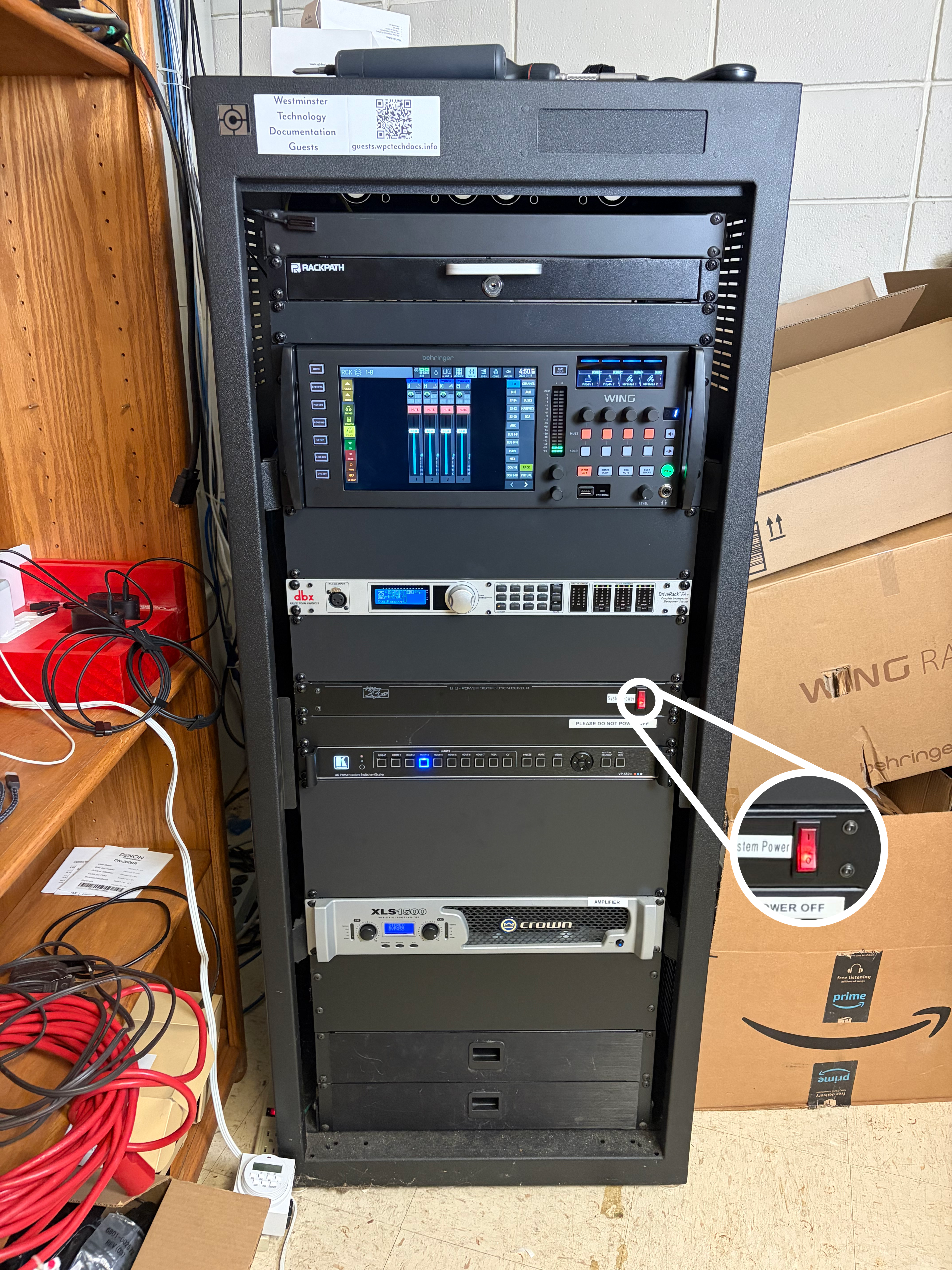
Check Rack Power
- Go to the sound system rack.
- Find the red
Powerswitch on the rack. - If the switch is not lit red, turn it on.
Check Amplifier Power
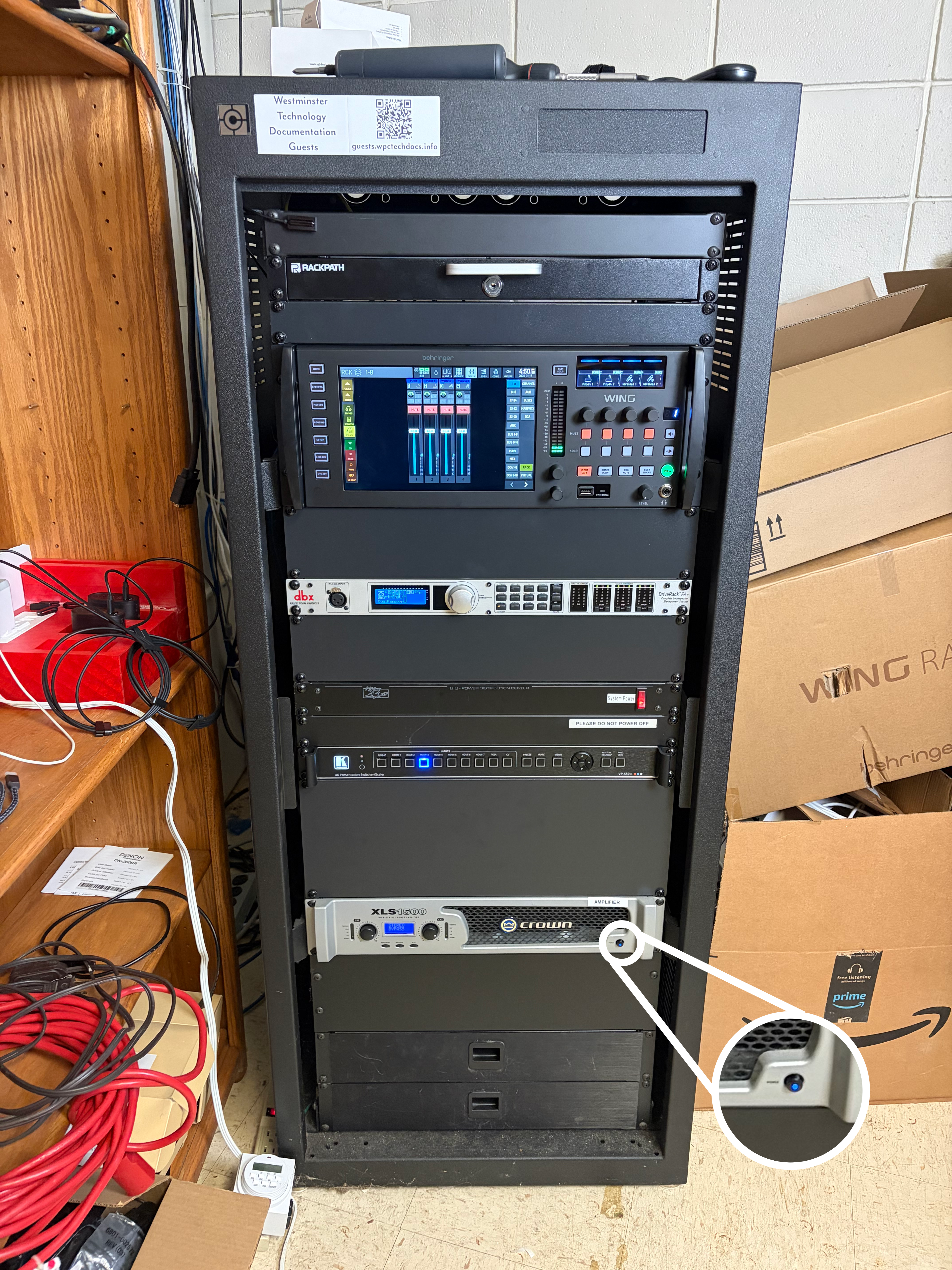
- Locate the amplifier in the rack (third unit from the bottom).
- Press the amplifier power button at the bottom-right.
- Confirm the button lights blue, which means the amplifier is on.
Sound System Ready
When the rack power is on and the amplifier power button is blue, the sound system is ready for microphones, computer audio, and Bluetooth audio.